











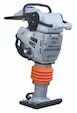



What are the key maintenance tips for Gas 2-Cycle Wacker Rammer models BS600 & BS600oi?
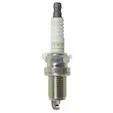
Regular maintenance of your Gas 2-Cycle Wacker Rammer is essential to ensure optimal performance. Key tips include checking and replacing the air filter, inspecting the fuel system for leaks, and ensuring the spark plug is clean and functional. Regularly lubricate moving parts and check the rammer's foot for wear and tear. For detailed maintenance advice, please contact our customer service team at [email protected].
Where can I find parts for the Wacker Rammer BS600 & BS600oi?
Parts for the Wacker Rammer BS600 & BS600oi are available from DHS Equipment. We offer a wide range of both OEM and aftermarket parts. Visit our website to browse our selection or contact our customer service team at 866-611-9369 for assistance in finding the right parts for your rammer model.
What is the difference between OEM and aftermarket parts for Wacker Rammer models?
OEM (Original Equipment Manufacturer) parts are made by the manufacturer of the equipment and are typically guaranteed to fit and function as intended. Aftermarket parts, while not made by the original manufacturer, offer a cost-effective alternative and can perform equally well. The choice between OEM and aftermarket depends on your budget and preference for either brand assurance or cost savings.
How can I obtain a manual or parts diagram for my Wacker BS600 & BS600oi Rammer?
To obtain a manual or parts diagram for your Wacker BS600 & BS600oi Rammer, please contact our customer service team at [email protected] or call 866-611-9369. Our team will be happy to assist you with the necessary documentation.
How do I troubleshoot common issues with the Wacker BS600oi Rammer?
Common issues with the Wacker BS600oi Rammer may include starting difficulties, irregular engine performance, or insufficient compaction force. Start by checking the fuel mixture, ensuring the air filter is clean, and verifying the spark plug's condition. If problems persist, consider consulting a professional technician. For more detailed troubleshooting advice, contact our customer service team.